1
Click "Add Friend"
Open your Discord desktop or web app. Click on the Friends icon in the top left corner, then click the green Add Friend button at the top.
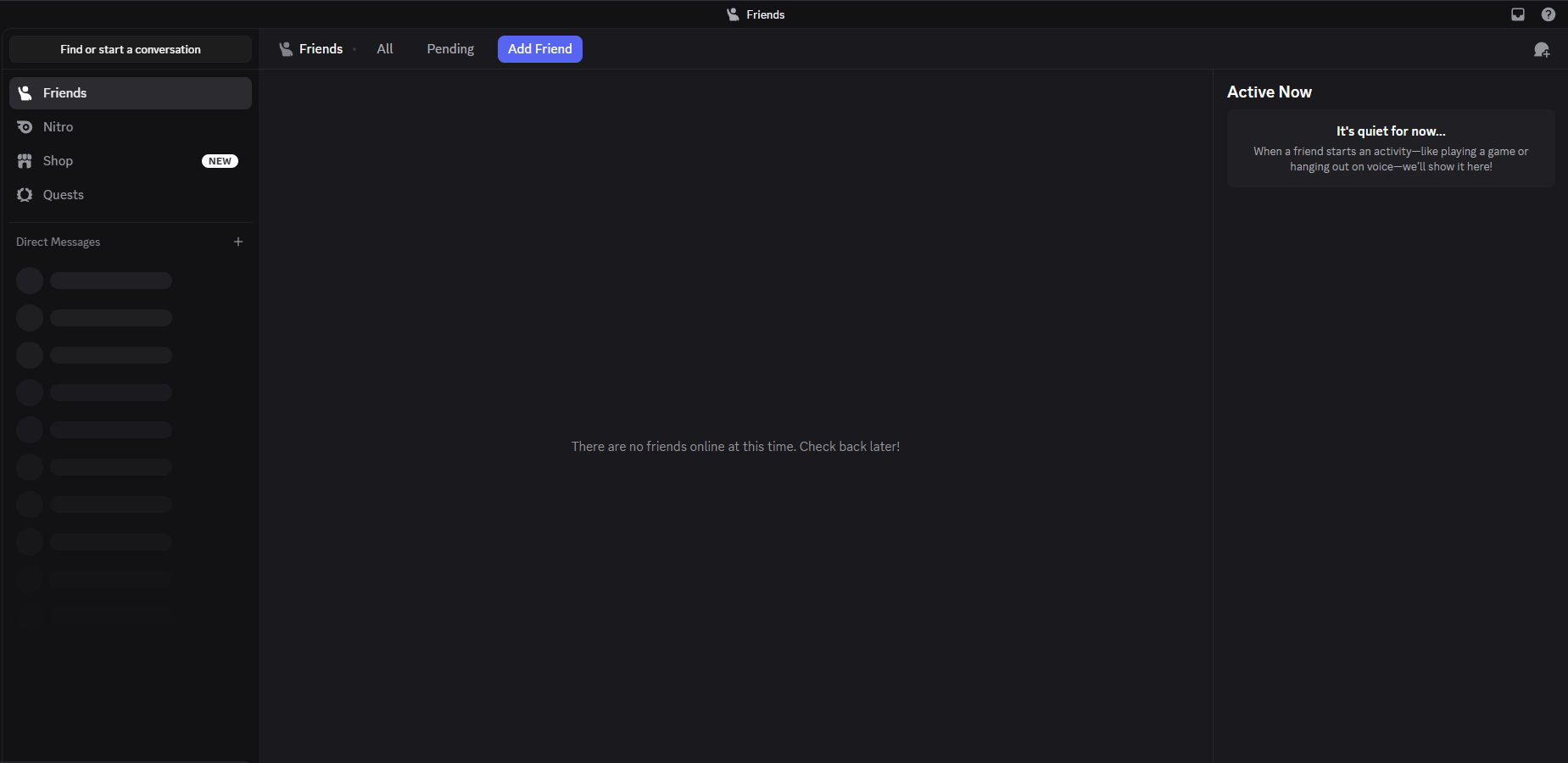
Click here
2
Type Our Username
In the input box that appears, carefully type our exact username: polybotsupport. Make sure there are no typos!
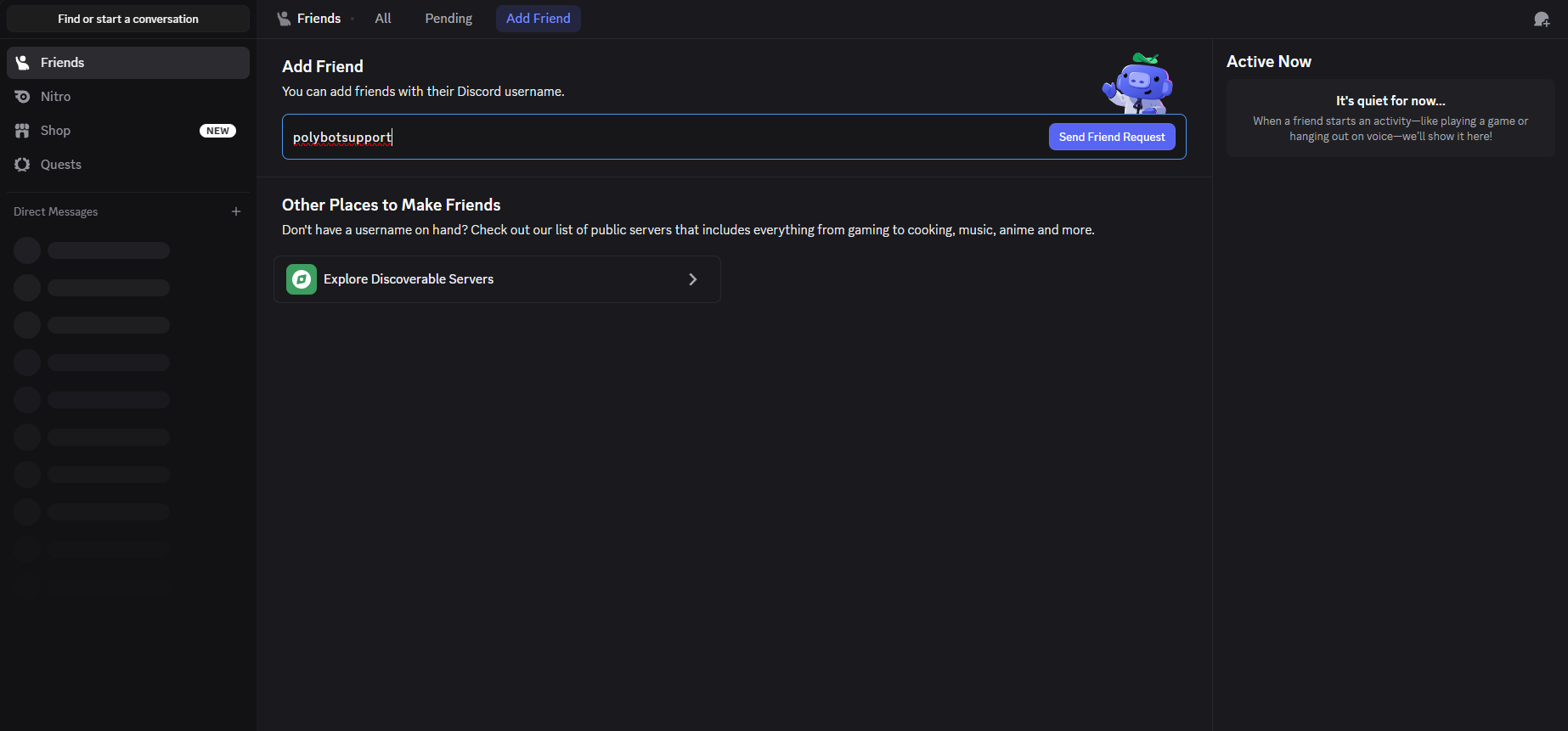
Type: polybotsupport
3
Send Request
Once you've typed the username, click the Send Friend Request button on the right side of the input box. You should see a green success message!
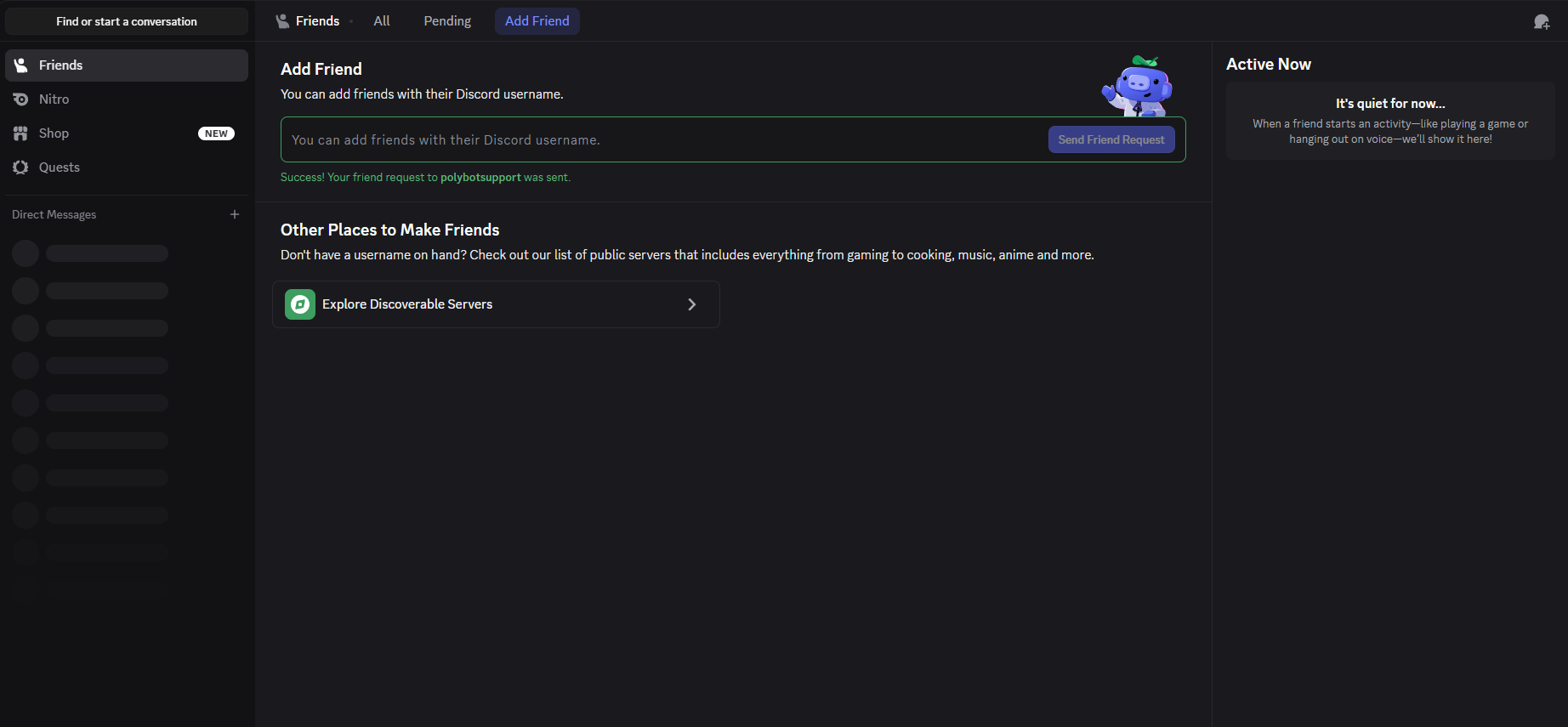
Click to Send